Showing posts with label Hadoop Installation. Show all posts

Friday, 29 July 2016

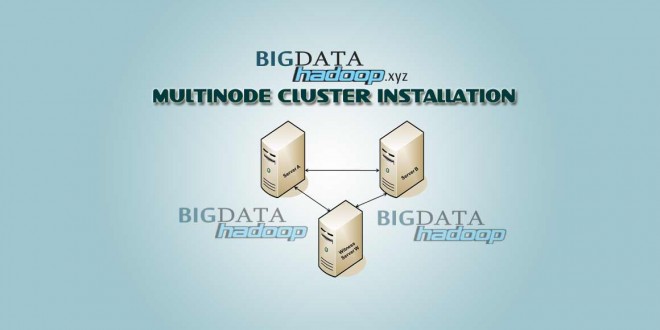
How to Setup Multi Node Cluster Installation using CentOS v6.3 on HADOOP 2x


How to Setup Multi Node Cluster Installation using CentOS v6.3 on HADOOP 2x

In this tutorial, we are using Centos 6.3 and we are going to install multi node cluster Hadoop. For this tutorial, we need at least three nodes. One of them is going to be a master node and the other nodes is going to be a slave node. I’m using three nodes in this tutorial to make this guide as simple as possible. We will be installing namenode and jobtracker on the master node and installing datanode, tasktracker, and secondary namenode on the slave nodes.


Check it out above Multi Node Installation in below weblink:

Happy Hadooping with Patrick..

Friday, 8 July 2016

How to Create Dynamic Apache HADOOP Project using Maven in Eclipse


Steps for creating dynamic HADOOP Project using maven in eclipse.


Check out steps of Creating Hadoop Project using Maven click on below weblink:

How to Create Dynamic Apache HADOOP Project using Maven in Eclipse

I hope this tutorial will surely help you. If you have any questions or problems please let me know.


Happy Hadooping with Patrick..

Friday, 24 June 2016

Apache Hadoop : Sqoop Script for Importing Data RDBMS to HDFS and RDBMS to HIVE


Sqoop Script for Importing Data RDBMS to HDFS and RDBMS to HIVE

Sqoop-Import

Sqoop import command imports a table from an RDBMS to HDFS. Each record from a table is considered as a separate record in HDFS. Records can be stored as text files, or in binary representation as Avro or Sequence Files.

Importing a RDBMS to HDFS

Syntax:
$ sqoop import --connect --table --username --password --target-dir -m1
--connect        Takes JDBC url and connects to database (jdbc:mysql://localhost:3306/test )
--table             Source table name to be imported (sqooptest )
--username    Username to connect to database (root )
--password     Password of the connecting user(12345)
--target-dir     Imports data to the specified directory (/output )

--m1

For Eg:

RDBMS TO HDFS
Importing a RDBMS to HIVE
Syntax:
$ sqoop import --connect --table --username --password --hive-import --hive-table -m1
Specifying --hive-import, Sqoop imports data into Hive table rather than HDFS directory.
--connect        Takes JDBC url and connects to database (jdbc:mysql://localhost:3306/test )
--table             Source table name to be imported (sqooptest )
--username    Username to connect to database (root )
--password     Password of the connecting user(12345)

--hive              Import tables into Hive (hive-import)

--hive-table     Sets the Hive table name to import (sqoophivetest )
--target-dir     Imports data to the specified directory (/apps/hive/warehouse/default.db/sqoophivetest )

--m1


For Eg:


RDBMS TO HIVE

I hope this tutorial will surely help you. If you have any questions or problems please let me know.

Happy Hadooping with Patrick..

Wednesday, 22 June 2016

How to Setup Hadoop 2.7.1 [Any Stable Version] on CentOS and Ubuntu


How to Setup Hadoop 2.6.0 [Any Stable Version] on CentOS and Ubuntu

This tutorial will guide you to setup Hadoop 2.7.1 [Any Updated Stable Version of Hadoop] as a single node cluster on CentOS/RHEL 7/6/5 or Ubuntu. This article has been tested with CentOS 6 and Ubuntu 14.04 LTS and it doesn’t includes overall configuration of hadoop, we have only basic configuration required to start working with hadoop.

Check it out above Tutorial in below website link:
How to Setup Hadoop 2.7.1 [Any Stable Version] on CentOS

I hope this tutorial will surely help you. If you have any questions or problems please let me know.

Happy Hadooping with Patrick..